

Modern websites and web applications are constantly evolving. Businesses release new features, improve security, fix bugs, and update user interfaces to meet customer expectations. While these changes help improve the user experience, they can also introduce unexpected problems into areas of the application that previously worked perfectly. This is where web app testing tools become essential.
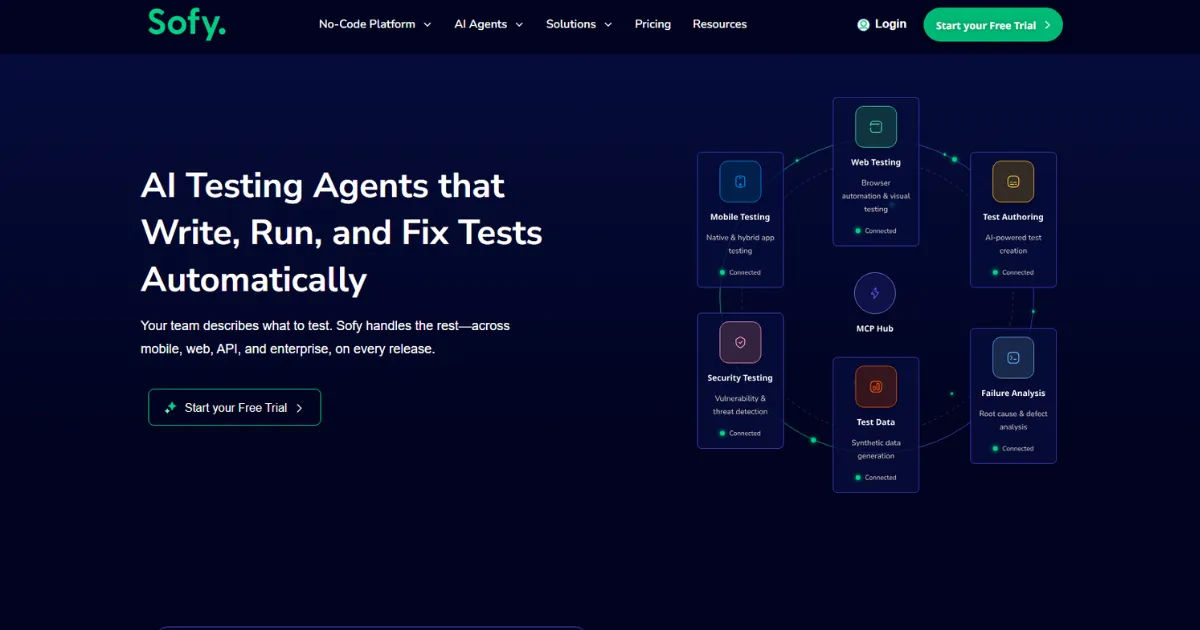
Using reliable web app testing tools helps developers and quality assurance teams detect issues before users experience them, ensuring every update maintains the application's quality and performance.Regression testing is one of the most important software testing practices.
It verifies that existing functionality continues to work correctly after changes are made. Whether a team releases updates weekly or several times a day, regression testing provides confidence that new code has not negatively affected older features.This comprehensive guide explains when regression testing tools should be used, why they matter, and how organizations can benefit from incorporating them into their software development process.
What Is Regression Testing?
Regression testing is the process of testing previously working features after changes have been made to an application. These changes may include:
-
New feature additions
-
Bug fixes
-
Security updates
-
Database modifications
-
API integrations
-
Performance improvements
-
UI redesigns
The primary goal is to ensure that existing functionality remains stable after modifications.
Instead of testing only the new feature, regression testing checks whether the entire application still behaves as expected.
What Are Web App Regression Testing Tools?
Web app testing tools are software solutions that automate or simplify the process of checking web applications for defects. Many regression testing tools execute hundreds or thousands of test cases automatically, reducing manual effort while improving accuracy.
These tools simulate user interactions such as:
-
Clicking buttons
-
Filling forms
-
Logging into accounts
-
Searching products
-
Making purchases
-
Uploading files
-
Navigating pages
Because automation can repeat tests consistently, web app testing tools are especially valuable for regression testing.
Why Regression Testing Is Important
Every software update introduces risk.
Even a small change in one part of the application can unintentionally affect another area. Developers may fix one issue but accidentally create another.
Regression testing helps identify these hidden problems before deployment.
Major benefits include:
-
Higher software quality
-
Reduced production bugs
-
Better customer satisfaction
-
Faster software releases
-
Lower maintenance costs
-
Greater confidence during deployments
Without proper regression testing, companies may release updates that break critical business functions.
When Should Web App Regression Testing Tools Be Used?
Regression testing should not be limited to major software releases. Instead, it should become a routine part of development.
Below are the most common situations where regression testing tools should be used.
After Adding New Features
Every new feature changes the application's codebase.
Even if developers carefully isolate their code, new functionality can interfere with existing components.
For example:
A company introduces a live chat feature.
Although the chat works correctly, it accidentally slows page loading and affects checkout functionality.
Regression testing quickly detects these unexpected issues.
Using web app testing tools after every feature release ensures the rest of the application continues functioning normally.
After Fixing Bugs
Bug fixes seem harmless because they solve existing problems.
However, changing code to fix one issue can introduce new defects.
Suppose developers repair a login problem.
The fix may unintentionally affect:
-
Password reset
-
User sessions
-
Two-factor authentication
-
Remember Me functionality
Regression testing verifies that all related features still work correctly.
Before Every Software Release
Regression testing should always occur before releasing updates to customers.
This final verification checks the application's stability.
Running automated regression tests before deployment helps identify problems that may have been overlooked during development.
Many organizations make regression testing a mandatory release requirement.
After Security Updates
Security patches often modify authentication systems, permissions, encryption methods, or server communication.
Because these updates affect sensitive areas of an application, regression testing becomes essential.
It confirms that users can still:
-
Register
-
Log in
-
Update passwords
-
Access dashboards
-
Complete secure transactions
Using web app testing tools after security changes reduces the chance of introducing authentication issues.
Following Database Changes
Databases store valuable application information.
Changes to database schemas, queries, or stored procedures may affect:
-
Search functions
-
User accounts
-
Orders
-
Reports
-
Payment records
Regression testing verifies that all database-related features continue working after updates.
After API Integration
Modern web applications connect with numerous third-party services.
Examples include:
-
Payment gateways
-
Email services
-
Social login
-
Maps
-
Shipping providers
Adding or updating APIs may unexpectedly impact application workflows.
Regression testing ensures integrations function without affecting existing features.
After User Interface Updates
Businesses frequently redesign websites to improve usability.
Changing layouts, menus, or buttons can accidentally break navigation.
Regression testing checks that users can still complete important tasks.
Examples include:
-
Registration
-
Product browsing
-
Checkout
-
Contact forms
-
Profile management
UI improvements should never reduce functionality.
After Performance Optimization
Developers often optimize applications for speed.
Examples include:
-
Compressing files
-
Changing caching
-
Updating JavaScript
-
Improving database queries
While these optimizations improve performance, they may also introduce functional problems.
Regression testing confirms optimization efforts do not break existing features.
During Continuous Integration
Many development teams now follow Continuous Integration (CI).
Developers frequently merge code into a shared repository.
Each code merge creates opportunities for unexpected defects.
Automated regression testing becomes essential in CI environments because tests run automatically whenever code changes.
This approach helps identify issues immediately.
During Continuous Deployment
Continuous Deployment releases software rapidly, sometimes multiple times daily.
Manual testing cannot keep pace.
Automated web app testing tools execute regression suites before deployment, helping organizations maintain quality despite frequent releases.
After Refactoring Code
Refactoring improves code quality without changing functionality.
Although the application's behavior should remain the same, internal changes may introduce hidden issues.
Regression testing confirms that refactoring has not affected user experience.
Before Major Website Events
Businesses often experience heavy traffic during:
-
Holiday sales
-
Product launches
-
Marketing campaigns
-
Seasonal promotions
Before these events, regression testing verifies that important features remain stable.
A broken checkout page during a major sale can result in significant financial losses.
After Browser Updates
Web browsers regularly release updates.
New browser versions may affect:
-
JavaScript behavior
-
CSS rendering
-
Form validation
-
Cookies
-
Security policies
Regression testing across multiple browsers ensures consistent user experiences.
Before Migrating Servers
Moving applications to new servers or cloud environments introduces infrastructure changes.
Regression testing verifies:
-
Application availability
-
Database connectivity
-
User authentication
-
File uploads
-
Email functionality
Testing reduces migration risks significantly.
During Mobile Compatibility Updates
Many users access web applications using smartphones and tablets.
When developers improve mobile responsiveness, regression testing verifies that desktop functionality remains unaffected.
Testing across devices improves overall reliability.
Benefits of Automated Regression Testing
Manual regression testing works well for small applications.
However, larger applications require automation.
Automated web app testing tools offer several advantages.
Faster Testing
Automation executes hundreds of tests within minutes.
This dramatically reduces testing time.
Greater Accuracy
Automated tests perform identical steps every time.
Human errors become much less common.
Better Test Coverage
Automation makes it possible to test more scenarios than manual testing.
Complex workflows receive consistent verification.
Lower Long-Term Costs
Although automation requires an initial investment, it reduces repetitive manual work.
Organizations save money over time.
Supports Frequent Releases
Modern software teams release updates rapidly.
Automated regression testing keeps pace with continuous development.
Challenges of Regression Testing
Regression testing offers many advantages, but teams should also understand its challenges.
Large Test Suites
As applications grow, regression test suites become larger.
Managing thousands of tests requires planning.
Test Maintenance
Whenever applications change, automated tests often require updates.
Poor maintenance reduces testing effectiveness.
Initial Setup Time
Automation frameworks require time to build.
However, long-term benefits usually outweigh the setup effort.
Choosing Test Cases
Not every test needs to run after every update.
Teams should prioritize high-risk and frequently used features.
Best Practices for Regression Testing
Organizations achieve better results by following proven practices.
Automate Repetitive Tests
Frequently executed tests are ideal candidates for automation.
Prioritize Critical Features
Test essential business functions first.
Examples include:
-
Login
-
Registration
-
Shopping cart
-
Payments
-
Search
-
User profiles
Update Test Cases Regularly
Applications evolve constantly.
Regression tests should evolve alongside them.
Integrate Testing Into CI/CD
Automatic execution after every code change improves quality.
Run Cross-Browser Testing
Applications should function consistently across major browsers.
Monitor Test Results
Failed tests should be investigated immediately.
Quick responses prevent larger problems.
Choosing Effective Regression Testing Tools
When selecting web app testing tools, organizations should consider several factors.
Important features include:
-
Automation support
-
Cross-browser compatibility
-
Easy maintenance
-
Detailed reporting
-
Integration with CI/CD
-
Scalability
-
Strong community support
-
Reliable documentation
The right solution depends on project size, budget, and development workflow.
Common Mistakes to Avoid
Many teams reduce testing effectiveness through avoidable mistakes.
Common errors include:
-
Skipping regression tests because of deadlines
-
Automating unstable test cases
-
Ignoring failed tests
-
Testing only new features
-
Running outdated test suites
-
Failing to prioritize high-risk areas
Avoiding these mistakes leads to more reliable software releases.
Regression Testing in Agile Development
Agile development encourages frequent software updates.
Every sprint introduces new features and improvements.
Because code changes happen continuously, regression testing becomes an essential part of every sprint.
Automated web app testing tools help Agile teams maintain software quality without slowing development.
They support shorter release cycles while reducing production defects.
Regression Testing and Customer Satisfaction
Customers expect web applications to function correctly every time they visit.
Broken pages, failed payments, missing data, or login issues create frustration.
Consistent regression testing helps maintain trust by preventing these problems before deployment.
Stable software improves customer retention and strengthens brand reputation.
Future of Web App Regression Testing
Artificial intelligence and machine learning are changing software testing.
Modern web app testing tools increasingly use AI to:
-
Detect UI changes automatically
-
Prioritize test cases
-
Reduce maintenance
-
Identify risky code changes
-
Improve defect prediction
As software becomes more complex, intelligent automation will play an even greater role in regression testing.
Organizations that adopt these technologies can improve testing efficiency while maintaining high-quality applications.
Conclusion
Regression testing is one of the most valuable quality assurance practices in modern software development. Every application changes over time through feature additions, bug fixes, security improvements, interface updates, and performance enhancements. Each modification creates the possibility of unintended defects affecting existing functionality. That is why regression testing should be performed after every meaningful code change, before every release, after integrations, during continuous development, and whenever critical systems are updated. Reliable web app testing tools make this process faster, more accurate, and more efficient by automating repetitive tasks and providing consistent results. By integrating regression testing into the development lifecycle, organizations can release updates with greater confidence, reduce production issues, improve user satisfaction, and maintain stable, high-performing web applications for the long term.

Leave a Reply